
AI ROBLOX AVATAR GFX
Roblox GFX Maker for Four AI Avatar Renders
Turn one Roblox avatar into four polished, square GFX concepts. Use a username or an avatar reference you have the right to use, then compare distinct poses, cameras, and lighting before you choose a favorite.
4 Credits per pack. Exact accessory fidelity is not guaranteed. ClickCrit is independent and is not affiliated with Roblox.
REAL GFX EXAMPLES
One avatar, two visibly different directions
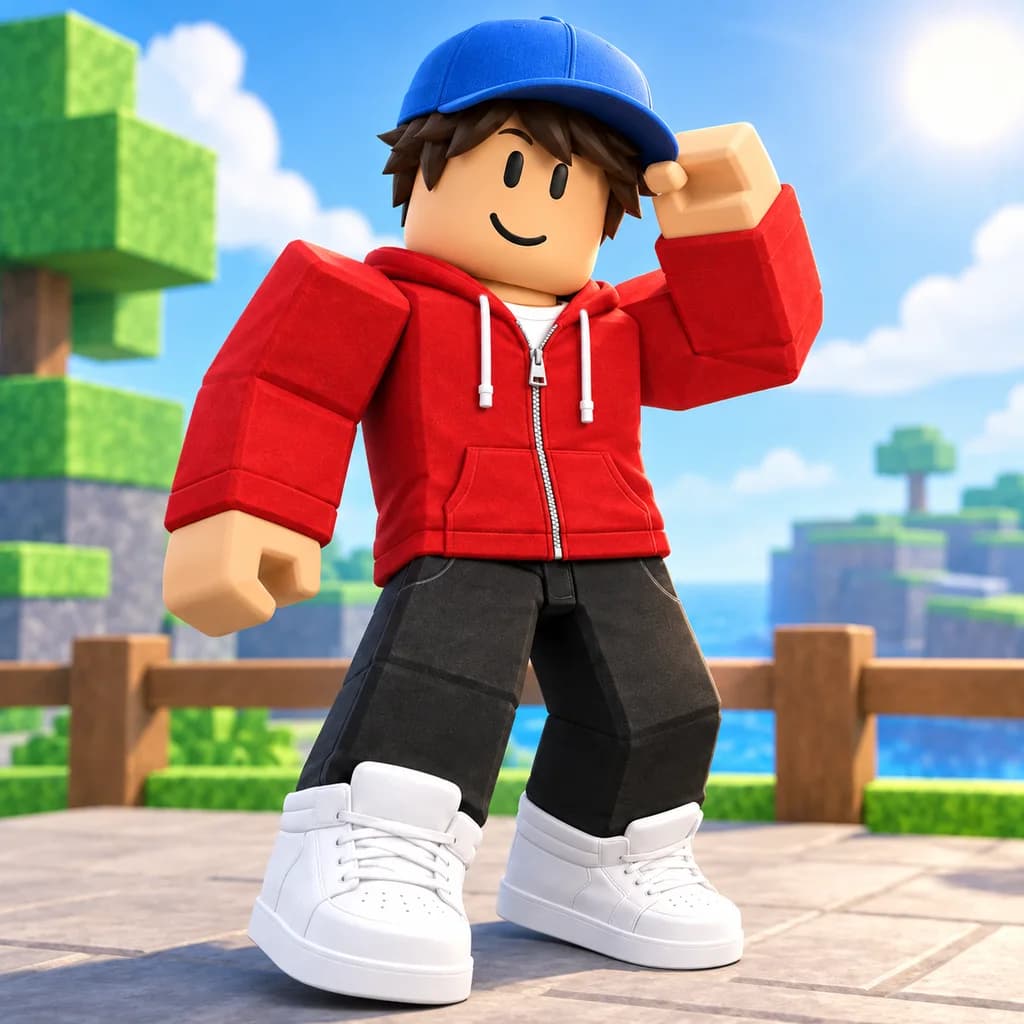
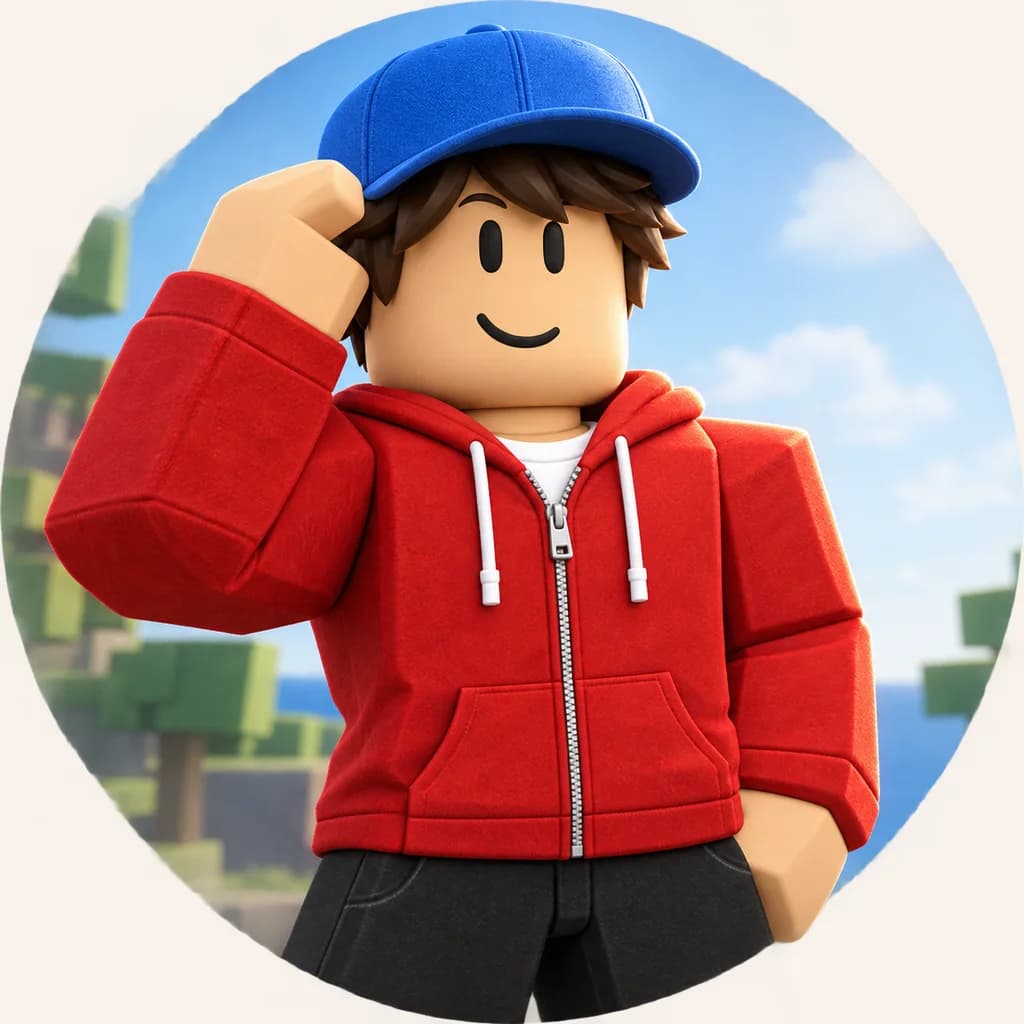
These are real outputs from ClickCrit's validated GFX recipe, not placeholders. The identity and clothing stay recognizable while the crop, pose, background, and storytelling change.
Hero portrait
A tight crop, centered face, and clean visual hierarchy for character-first artwork.
Social spotlight
A full-body pose and environmental backdrop that gives the same avatar more context.
Sign in to create private Roblox GFX
Your avatar reference, generated images, Credits, and automatic refunds stay attached to your account. There is no separate policy confirmation screen after sign-in.
Sign in to create GFXWHAT IS ROBLOX GFX?
Avatar artwork built around a scene, not a screenshot
Roblox GFX usually means stylized artwork that places an avatar in a deliberate pose, camera angle, background, and lighting setup. Traditional workflows often use Roblox Studio plus a 3D tool such as Blender. ClickCrit is for the faster concept stage: it turns one avatar reference into multiple finished visual directions in a browser.
The goal is not to copy a game screenshot. It is to help you compare creative choices—close portrait or full body, calm or energetic, minimal or cinematic—before you publish artwork or continue editing elsewhere.
01
Hero portrait
A close camera and clear face for profile images, announcements, and character-led artwork.
02
Dynamic action
A more energetic pose that gives the avatar movement and a stronger sense of play.
03
Cinematic angle
A dramatic camera and lighting treatment for reveals, story moments, and promotional posts.
04
Social spotlight
A readable full-body composition designed to stand out in feeds and community updates.
HOW IT WORKS
Make Roblox GFX in four simple steps
No scene setup is required. Give the maker one clear avatar reference and a small amount of creative direction.
01
Add your avatar
Enter a Roblox username or upload a permitted PNG, JPG, or WEBP reference.
02
Set the direction
Choose a visual vibe and add an optional brief for the scene, color, or mood you want.
03
Generate four concepts
ClickCrit explores four distinct 1:1 compositions in one pack instead of repeating one layout.
04
Review and download
Compare the results and download each successful render as an opaque 1024 × 1024 PNG.
BETTER INPUTS
What makes a useful avatar reference?
Choose an image where the avatar is large, unobstructed, and easy to read. A front or three-quarter view usually gives the maker the clearest information about the face, clothing, body type, and visible accessories.
- Use a full-body Roblox avatar thumbnail when possible.
- Avoid tiny avatars inside busy screenshots.
- Keep important hats, hair, and clothing visible.
- Upload only images you own or have permission to use.
- Describe mood or color—not a long scene script.
- Expect interpretation rather than exact 3D reconstruction.
RELATED ROBLOX TOOLS
Move from avatar art to the rest of your creative
Roblox Thumbnail Maker
Explore four thumbnail concepts at once when the game—not only the avatar—is the main subject.
Make thumbnailsRoblox GUI Maker
Create an editable interface direction for menus, HUDs, shops, and in-game screens.
Plan a GUIRoblox Thumbnail Size Guide
Check current image dimensions, safe zones, and export choices before you publish.
Read the size guideFAQ
Roblox GFX Maker questions
What does the Roblox GFX Maker create?
It creates four different square avatar directions: hero portrait, dynamic action, cinematic angle, and social spotlight.
Can I use a Roblox username?
Yes. After you sign in, ClickCrit can retrieve the public full-body avatar thumbnail through official Roblox APIs and store a private copy for generation.
Do I need Blender or Roblox Studio?
No. The maker is browser-based, so you can explore finished GFX concepts without building a 3D scene or learning a rendering workflow.
Will every accessory be exact?
No. The workflow emphasizes avatar identity, body type, face, skin tone, clothing colors, and visible accessories, but exact accessory fidelity is not guaranteed.
What image do I download?
Each successful result downloads as an opaque 1024 × 1024 PNG. You can resize or crop it for the channel where you plan to publish it.
Is ClickCrit affiliated with Roblox?
No. ClickCrit is an independent tool and is not affiliated with, endorsed by, or sponsored by Roblox.